Understanding Load Balancing and Traffic Distribution
TL;DR
Load balancing distributes incoming traffic across multiple servers so none is overwhelmed, improving performance, availability and fault tolerance. Common algorithms include round robin, least connections, IP hashing and weighted balancing, delivered by hardware appliances or software load balancers.
On this page
In today’s digital landscape, ensuring efficient traffic distribution across multiple servers is crucial for maintaining website performance, reliability, and scalability. This is where load balancing comes into play. In this article, we’ll explore the fundamentals of load balancing, its types, and its significance in optimizing web traffic.
What is Load Balancing?
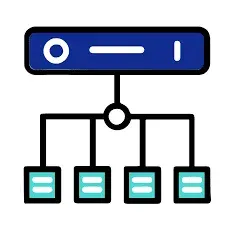
Load balancing is the process of distributing incoming network traffic across multiple servers to ensure no single server becomes overwhelmed. This technique improves performance, availability, and fault tolerance by balancing the workload dynamically.
When users request access to a website, instead of sending all requests to a single server, a load balancer distributes the requests among multiple backend servers. This prevents server overload and minimizes response time, ensuring seamless user experience.
How Load Balancers Work
Load balancers act as an intermediary between clients (users) and backend servers. They analyze incoming requests and route them based on predefined rules or algorithms.
The basic process involves:
- A user makes a request to a website (e.g., entering
example.comin the browser). - The Domain Name System (DNS) resolves the domain to an IP address.
- A load balancer intercepts the request and directs it to the most suitable backend server.
- The backend server processes the request and sends the response back to the user via the load balancer.
Types of Load Balancing
There are several methods used to distribute traffic efficiently:
1. Round Robin
- Each incoming request is assigned to the next available server in a cyclic manner.
- Simple but may not consider server health or capacity.
2. Least Connections
- Assigns traffic to the server with the fewest active connections.
- Ideal for handling uneven workloads.
3. IP Hashing
- Requests from the same IP address are always routed to the same backend server.
- Useful for maintaining user sessions.
4. Weighted Load Balancing
- Assigns different weights to servers based on their processing capacity.
- Ensures higher-capacity servers handle more requests.
Hardware vs. Software Load Balancers
Load balancers can be implemented as hardware appliances or software solutions:
- Hardware Load Balancers: Specialized physical devices that provide high performance and security features but can be costly (e.g., F5 Networks, Citrix NetScaler).
- Software Load Balancers: More flexible and cost-effective, running on standard servers (e.g., Nginx, HAProxy, AWS Elastic Load Balancer).
Benefits of Load Balancing
Using a load balancer provides several advantages:
- Scalability: Distributes workload across multiple servers, enabling businesses to handle growing traffic efficiently.
- High Availability: Prevents single points of failure by rerouting traffic if a server becomes unavailable.
- Performance Optimization: Reduces latency and improves response times by selecting the optimal server for each request.
- Security Enhancement: Protects against Distributed Denial of Service (DDoS) attacks by filtering malicious traffic.
Real-World Applications
Large-scale web services, such as Google, Facebook, and Amazon, rely on sophisticated load balancing strategies to manage millions of requests per second. Cloud service providers like AWS, Microsoft Azure, and Google Cloud offer cloud-based load balancers that dynamically adjust to traffic demands.
Conclusion
Load balancing is an essential component of modern web infrastructure, ensuring efficient resource utilization, high availability, and improved performance. Whether implemented using round-robin algorithms, least connections, or IP hashing, load balancers play a critical role in optimizing web traffic distribution.
For further insights, check out my GitHub contribution on this topic: GitHub Contribution on Load Balancing.
If you found this article helpful, feel free to share it and let me know your thoughts in the comments! 🚀
Key takeaways 5
- Load balancers spread requests across several servers.
- They improve performance, availability and fault tolerance.
- Round robin, least connections, IP hash and weighted are common algorithms.
- Health checks remove failing servers from rotation.
- Hardware and software load balancers suit different needs.
Watch & learn

Frequently asked questions
What is a load balancer?
A load balancer is a device or service that sits in front of servers and distributes incoming requests among them, so no single server is overloaded and failures are handled gracefully.
What is the difference between round robin and least connections?
Round robin sends requests to servers in turn. Least connections sends each new request to the server currently handling the fewest active connections.
What is the difference between Layer 4 and Layer 7 load balancing?
Layer 4 balances traffic using network information such as IP and port. Layer 7 looks at application data such as URLs, headers and cookies to make smarter routing decisions.
Learn it hands-on at AL Academy
Free practical programs in software, automation and IT, with labs and certificates.
Related articles

Networking for Support Technicians
The "I can't connect" ticket is the most common one you will ever take, and the easiest to fix badly. Here is the calm, layered method that turns guesswork into a five-minute diagnosis.

Finding Your First Clients
The first paying client feels impossible right up until it isn't. Here is the unglamorous, reliable path from zero to one, without an audience or an ad budget.
Technical SEO: Making Your Site Crawlable & Indexable
Great content can be invisible to search engines if the plumbing is broken. Technical SEO is that plumbing -- here is how crawling, indexing, speed, and structured data decide whether your pages exist at all.
Comments
No comments yet. Start the conversation.