RPA: Robotic Process Automation Basics
A software robot that clicks and types like a person can connect systems nothing else can reach - and break the moment one of those systems moves a button. Here is how to tell when a bot is the right answer, and when it is an expensive mistake.
TL;DR
Robotic Process Automation uses software bots that click and type through applications like a person, connecting systems nothing else can reach. That is also its weakness: bots break when screens change. Pick stable, rule-based, high-volume work, design for exceptions and avoid scaling fragile bots everywhere.
On this page
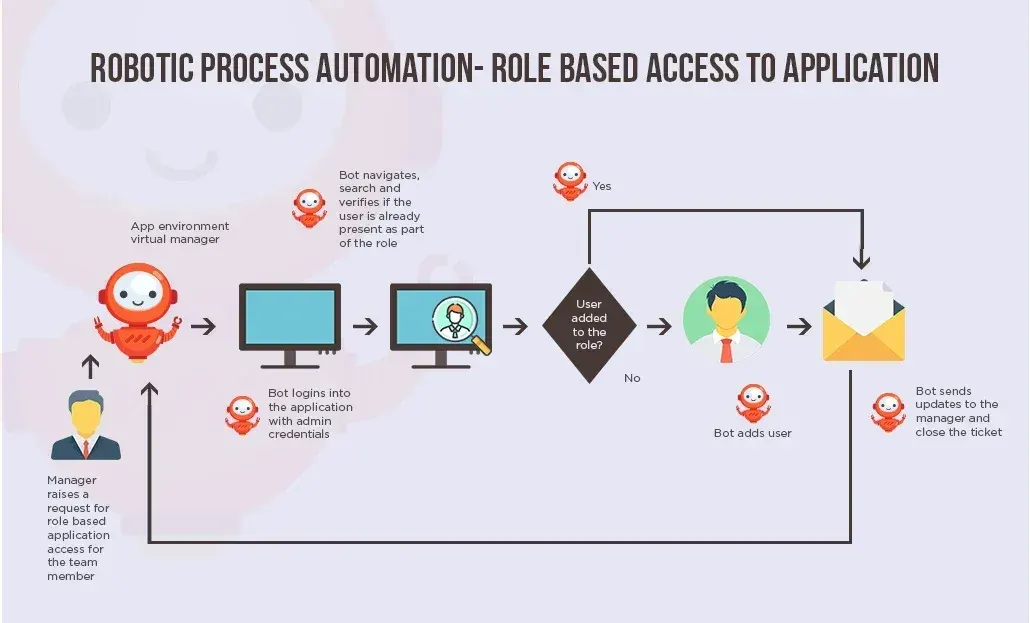
There is a kind of software that has quietly slipped into back offices everywhere, doing the work nobody wants to do: copying numbers between systems, re-keying invoices, gathering data from five screens to fill a sixth. It is called Robotic Process Automation, and the word “robotic” does it a disservice. There is no robot. There is just a program that uses your applications the way you do - moving the mouse, clicking the buttons, typing into the fields - tirelessly and without complaint.
That plain description is the whole secret to understanding RPA, including its surprising power and its built-in weakness.
The front door
Most software talks to other software through a back door built for the purpose, called an API - a clean, supported channel designed for programs to exchange data. APIs are wonderful when they exist. The problem is that a great deal of the software businesses actually run does not offer one, or hides it behind a price, or is simply too old to have ever had one. The thirty-year-old system that still runs payroll has no intention of opening a back door.
RPA solves this by ignoring the back door entirely and walking in the front - the same screens and buttons a human uses. Because every application has a user interface, a bot can reach every application. It can stitch together a legacy mainframe, a supplier’s web portal, a spreadsheet on someone’s desktop, and a modern cloud tool, none of which were ever designed to cooperate. No integration project, no vendor negotiation, no database access. The bot just uses each one, the way a person would.
This is genuinely useful, and it explains why RPA spread so fast. It promises automation without waiting for anyone to rebuild anything.
The catch
The front door, though, was built for humans, and humans are forgiving. When a screen is redesigned, a button moves, or a field gets renamed, you barely notice - you find the new button and carry on. A bot does not carry on. It was told to click the button in a particular place, identified by particular properties, and when those change, it stops dead.
This fragility is not a flaw to be engineered away; it is inherent in working through an interface meant for people. It shapes everything sensible you can say about RPA. The reach that makes bots so attractive is the same reach that makes them break, because the surface they depend on is constantly, casually changing underneath them.
So the honest framing is a trade-off. Where a stable API or a modern no-code connector exists, use it - it will be more reliable and cheaper to maintain. Reach for a bot when the only available door is the human one. RPA is best understood as a clever bridge across gaps that nothing else can span, not as a first choice.
Picking the right work
If the tool is fragile, success depends almost entirely on what you point it at. The biggest predictor of whether an RPA project pays off is not the platform or the developer - it is the choice of process. Good candidates share a handful of traits. They are rules-based, meaning every decision can be written as an explicit “if this, then that,” because a bot has no judgement. They are repetitive and high-volume, so the cost of building pays back across many runs. Their inputs are structured and digital, not handwritten or free-form. And the systems they touch are stable, not mid-redesign.
The mirror image - rare, judgement-heavy, messy-input, ever-changing processes - makes a poor candidate no matter how clever the automation. A process where “no two cases are alike” is a warning, not a challenge.
One rule outranks all the others: fix the process before you automate it. A bot will faithfully reproduce a wasteful, tangled workflow at high speed. Many failed projects did exactly that, automating a mess and getting a faster mess. Map the work first, cut the steps that add nothing, and only then hand what remains to a bot.
The happy path is the easy part
Building a basic bot no longer requires coding. Most platforms let you record yourself doing a task and turn it into a draft, then assemble steps visually. But a recording captures only what you did, on the screen as it was, with the data you happened to use. Turning that into something dependable means two unglamorous jobs.
The first is writing robust ways for the bot to find things on screen - choosing the stable, meaningful properties of a button or field rather than its position or a label that changes each run. The second is planning for everything that can go wrong: a slow page, a failed login, a missing field, an amount outside the expected range. Deciding in advance whether the bot should retry, skip, alert a person, or stop safely - and leaving a clear log when it does - is what separates a demo from a bot you can trust overnight. The happy path is the easy ten percent. The unhappy paths are where the value lives.
The trap at scale
The first bot almost always works, which is exactly why programs get into trouble. The difficulty appears later, with dozens or hundreds of bots, when an organization discovers it has built a small, invisible workforce that needs constant tending. Every update to every underlying application threatens to break the bots that depend on it. The more you build, the more break, and the more of your team’s time drains into repair rather than new value.
This maintenance trap is the defining risk of RPA at scale, and it is avoidable only by treating it seriously from the start: budget for upkeep, track which bots rely on which systems, set shared standards, store credentials securely, and measure success by time saved rather than by bots launched. The mature view treats each bot as a useful bridge to capture value now - while keeping one eye on the day a proper integration might let you retire it. Used that way, RPA earns its keep. Treated as a magic box, it becomes the next thing that needs fixing.
Key takeaways 5
- RPA bots work through the user interface like a person.
- They connect legacy systems that have no APIs.
- UI changes can break bots easily.
- Choose stable, rule-based, high-volume processes.
- Handling exceptions is the real work at scale.
Watch & learn

Frequently asked questions
What is robotic process automation (RPA)?
RPA is software that automates repetitive, rule-based tasks by mimicking human actions in applications, such as clicking, typing, copying and reading screens.
When should you use RPA instead of an API?
Use RPA when a system has no usable API or integration and the process is stable. When an API exists, direct integration is usually more reliable.
Why do RPA bots fail?
Common causes include changes to screens or fields, unexpected pop-ups, slow systems, unhandled exceptions and processes that weren't stable enough to automate.
Go deeper with the free masterclass
Workshop, PDF handbook and curated resources for “RPA: Robotic Process Automation Basics”.
Related articles

AI-Assisted IT Support & Automation
AI will not replace your service desk. It will quietly hand the keys to whoever forgets to keep a human in the room.
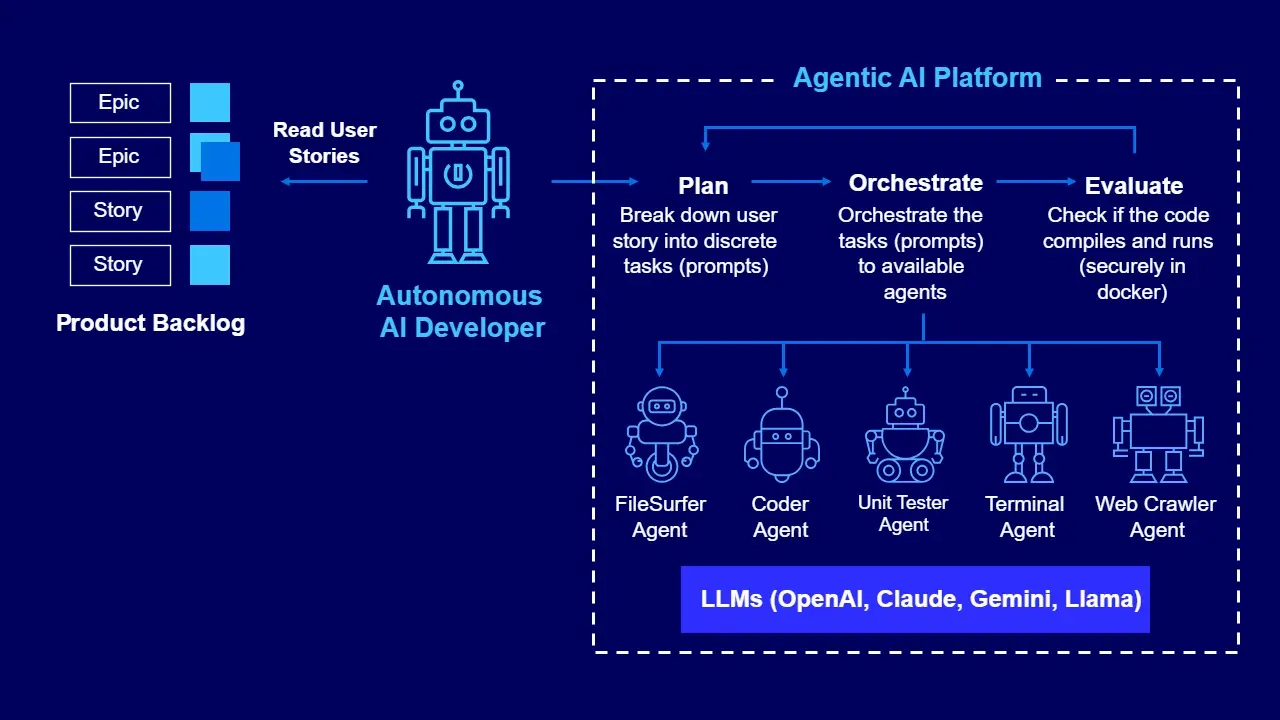
Agentic Automation: AI Agents for Business Processes
AI agents are not smarter chatbots or fancier macros — they are a third kind of automation, and the teams that win will be the ones who learn exactly where it fits.
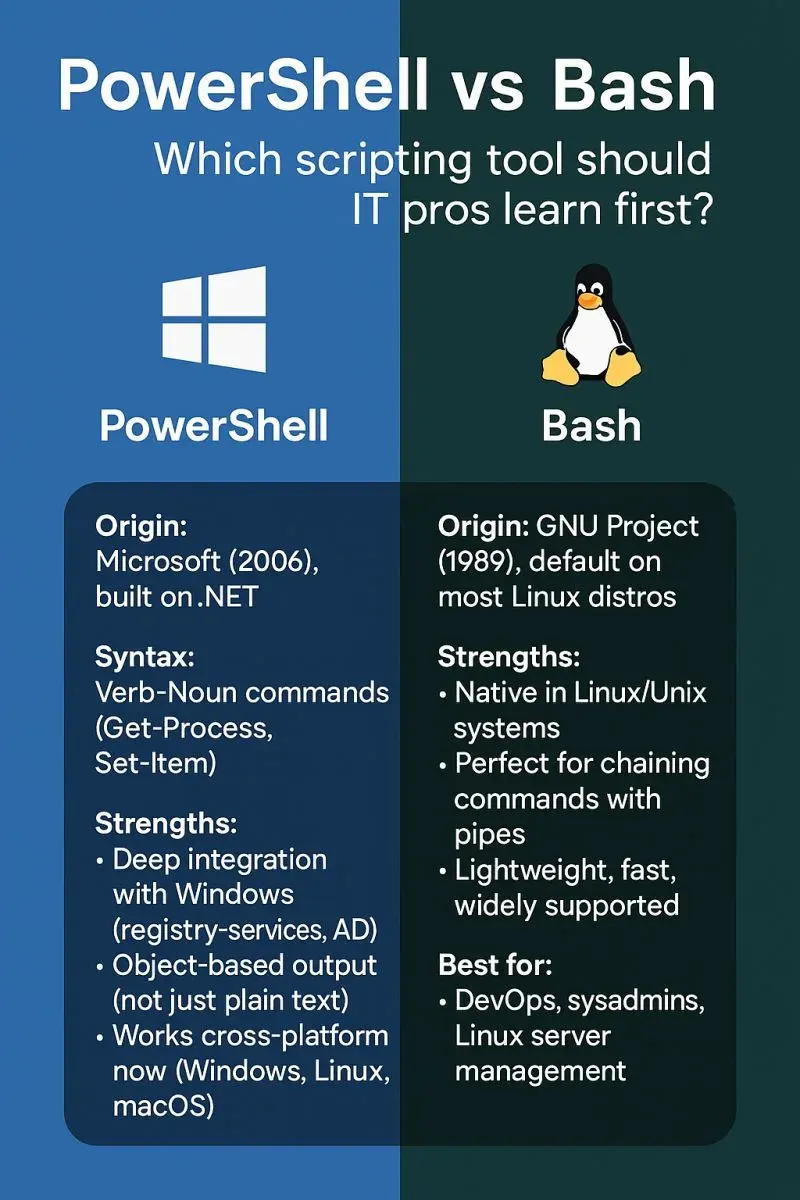
Scripting for IT Support (PowerShell & Bash)
Every support engineer hits a ceiling doing things by hand. Scripting is how you break through it, and you only need two shells to start.
Comments
No comments yet. Start the conversation.