Debugging Like a Pro
Great debuggers are not smarter than you. They just refuse to guess.
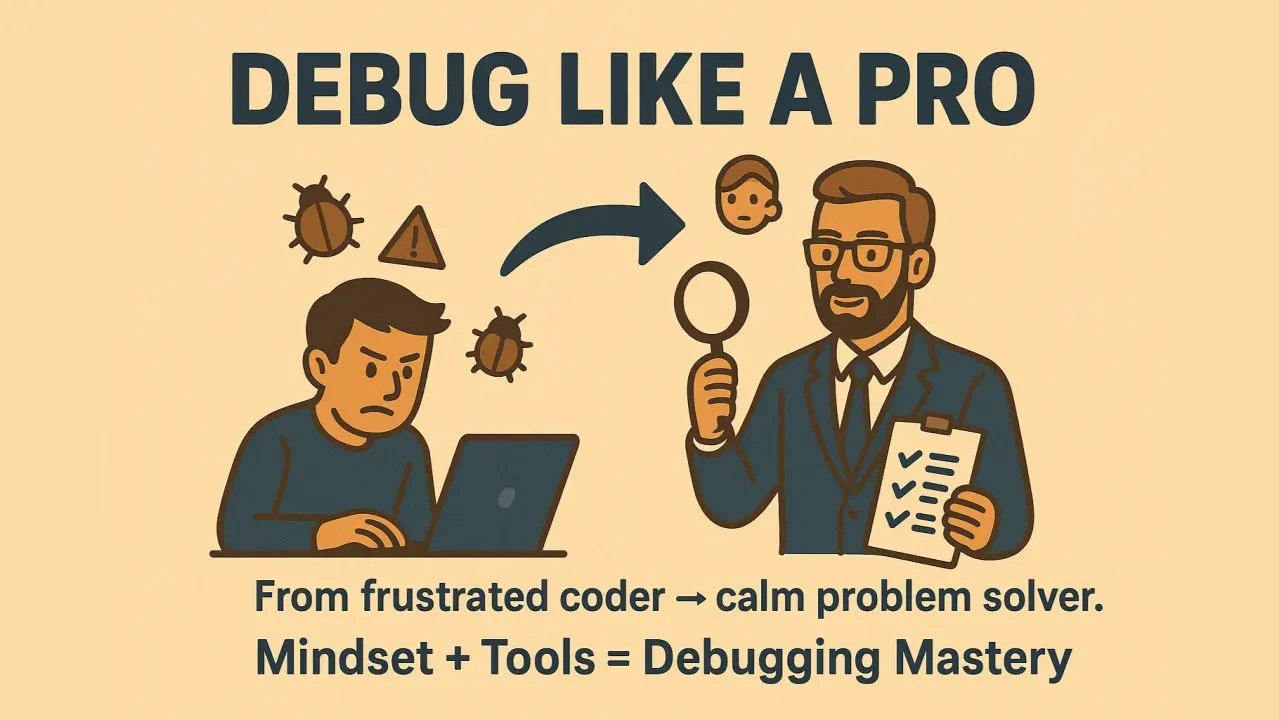
TL;DR
Great debuggers are not smarter; they refuse to guess. Debugging works as science: make the failure reproducible, read the evidence in errors, logs and stack traces, form and test one hypothesis at a time, use a debugger instead of scattered prints, and let tools like git bisect search for you.
On this page
The Three-Day Bug
Early in my career I lost three days to a bug that turned out to be one character. A report ran nightly and, once a week or so, produced totals that were off by a few cents. Not every night. Not on my machine. I did what most people do: I stared at the code. I added a print, removed it, added another. I changed lines that “looked suspicious” and re-ran, hoping. On day three, exhausted, I finally did the boring thing - I made the failure reproducible by feeding it the exact production data from a bad night. The bug fired on the first try. Twenty minutes later it was fixed: a rounding step applied inside a loop instead of after it.
Here is the part that stung. The fix took twenty minutes. The previous three days were not spent debugging. They were spent avoiding debugging - substituting motion for method. That is the most expensive habit in our industry, and almost nobody is taught the alternative.
Debugging Is a Science, Not a Vibe
The cure is embarrassingly simple to state: stop guessing and start running experiments. A bug is a discrepancy between what you believe the program does and what it actually does. Your job is to find which of your beliefs is false. That is the scientific method, and it has five steps that never change.
Reproduce it - reliably, on demand, or you are just getting lucky. Isolate it - find the boundary where correct becomes incorrect, halving the search space each time. Hypothesize - state one falsifiable cause out loud. Fix the root, not the symptom. Verify - re-run the repro, then write a test so it can never silently return.
Notice that four of the five steps happen before you change any code. The amateur’s instinct is to start editing immediately; the professional’s discipline is to understand first. The edit, when it finally comes, is usually small and obvious - because by then you actually know what is wrong.
Read the Crime Scene
The single fastest improvement most developers can make costs nothing: read the error message. All of it. Slowly. A stack trace is a signed confession. The last line names the exception. The frames above it are the chain of calls that led there. The deepest frame in your own code is almost always where to begin. Yet I watch experienced engineers paste the entire trace into a search engine without reading a word of it, as if the answer must come from elsewhere. Often the answer is right there in line three, telling you that the thing you were certain was a number is actually a string.
When the trace is not enough, make the program talk. Logging is a flight recorder; turn up the level and watch the data move until you catch the exact moment it goes from right to wrong. That transition is where your hypothesis lives or dies.
Put Down the Print Statement
print() debugging is the bicycle of our trade - everyone learns on it, and it will get you there. But a debugger is a car. With breakpoint() in Python or a clicked line number in browser DevTools, you stop time. You inspect every variable, walk the call stack, step line by line, and - this is the magic part - ask questions you did not think of before you ran the program. Print answers the one question you anticipated. A debugger answers the questions you discover once you can see the state.
The feature that converts skeptics is the conditional breakpoint. A loop runs ten thousand times and breaks on iteration 8,114. Set a breakpoint that fires only when order_id == 8114. The program runs at full speed and stops exactly once, at the scene of the crime, with all the evidence intact. Watching that for the first time changes how people work.
Let the Machine Do the Searching
The deepest idea in debugging is binary search, and its sharpest expression is git bisect. Code worked last month, it is broken now, and 200 commits sit in between. Do not read the diff. Tell git the last good commit and the current bad one, hand it a test command, and walk away. It binary-searches the history - four or five test runs for 200 commits - and hands you the exact commit that introduced the regression. The first time it finds your villain while you are getting coffee, you become a convert for life.
Pair that with two more habits and you have most of what separates fast debuggers from slow ones. Build a minimal reproducible example by deleting everything that is not required to trigger the bug; the cause often becomes obvious once the noise is gone, and what remains is your regression test. And when all else fails, rubber-duck it - explain the code aloud, line by line, to anyone or anything. The bug you cannot find is usually the assumption you keep skipping, and you cannot skip it once you have to say it out loud.
The Hard Ones, and the Same Method
The bugs that earn war stories - heisenbugs that vanish when observed, races that surface once a week, leaks that bloat a server overnight - feel like a different category. They are not. They are ordinary bugs whose evidence is hard to see. The fix is heavier instruments, not different thinking: profile before you optimize, snapshot memory and diff it, log thread ids and timestamps to reconstruct an interleaving. Make the invisible visible and the same five steps that crack a typo crack a phantom.
Great debuggers are not blessed with sharper minds. They have simply stopped negotiating with the bug and started interrogating it. Reproduce, isolate, hypothesize, fix, verify. Change one thing at a time. Read the error. Refuse to guess. Do that, and the three-day bugs become twenty-minute bugs - and you get your weekends back.
Key takeaways 5
- Guessing wastes days; method finds bugs.
- First make the failure reproducible.
- Read the evidence: error messages, logs and stack traces.
- Test one hypothesis at a time with a debugger, not random prints.
- Let tools search for you: git bisect, binary search and minimal repro cases.
Watch & learn

Frequently asked questions
What is the first step in debugging?
Reproduce the bug reliably. Once you can trigger the failure on demand, you can test hypotheses and confirm when it is fixed.
What is git bisect?
git bisect performs a binary search through commit history to find the exact commit that introduced a bug, by marking commits as good or bad until the culprit is isolated.
Is using print statements bad for debugging?
Not always, but a debugger lets you pause execution, inspect state and step through code without editing it, which is usually faster and more systematic.
Go deeper with the free masterclass
Workshop, PDF handbook and curated resources for “Debugging Like a Pro”.
Related articles

Hardware Diagnostics & Repair
Anyone can swap a part. The skill that separates a real technician from a parts-changer is a method that lets the broken machine tell you what is wrong.

Networking for Support Technicians
The "I can't connect" ticket is the most common one you will ever take, and the easiest to fix badly. Here is the calm, layered method that turns guesswork into a five-minute diagnosis.
Version Control with Git
Git can feel cryptic at first, but underneath the strange commands sits a simple, elegant idea. Here is the one mental model that makes everything click.
Comments
No comments yet. Start the conversation.