Paperless Office & Document Workflows
Going paperless is not about banning the printer. It is about making the digital copy the one your team actually trusts and can find in seconds.
TL;DR
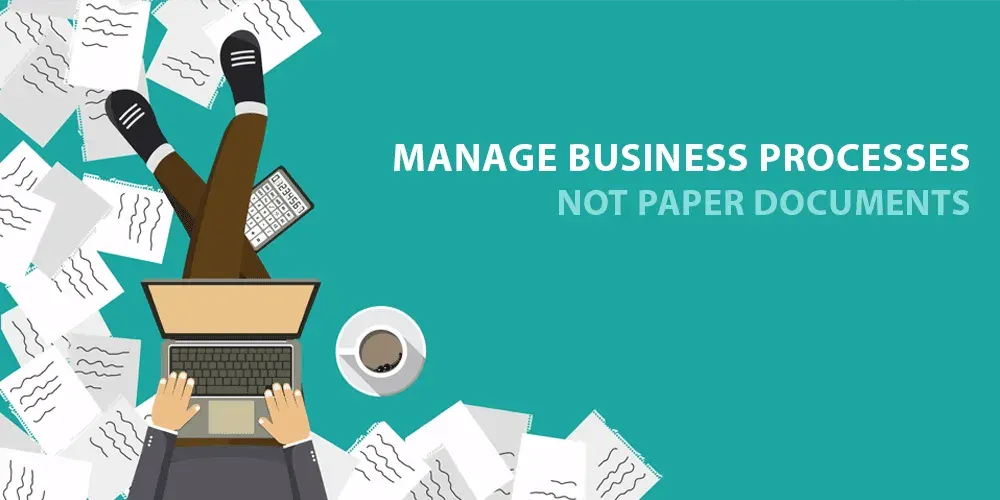
Paper quietly costs businesses time, space and money. Going paperless isn't about banning printers; it's about making the digital copy the trusted, findable version. Start with one painful process, make documents searchable with OCR and consistent naming, then route, sign and protect them digitally.
On this page
Walk into almost any small business and you will find paper doing quiet damage. There are invoices waiting in a tray, contracts in a cabinet, receipts curling in a shoebox, and somewhere a folder that was supposed to be on a colleague’s desk an hour ago. None of it feels expensive, because the cost is spread thin: a few minutes here filing, a few there searching, a cabinet of floor space, a courier fee for a signature. Add it up across a year and paper turns out to be one of the most expensive habits a business keeps.
The pitch for going paperless usually focuses on saving trees or clearing desks. The real payoff is more practical: you get your time back, and you stop losing things. A digital document with a sensible name and searchable text can be found in seconds from anywhere. A paper document can only be found if someone filed it in exactly the right place and nobody moved it since. As a business grows, paper filing gets worse, because more documents mean more drawers to check. Digital files barely notice the difference.
Start with one painful process
The biggest reason paperless projects fail is ambition. People try to digitize everything at once, get overwhelmed, and quietly give up. The fix is to pick a single process that genuinely hurts, such as supplier invoices or new-hire paperwork, and do only that. Map how it works today on one page: which documents are involved, who handles them, in what order, and where they get stuck. That map is your plan, and it almost always reveals delays and duplicated effort you did not know were there.
Before you change anything, measure something simple, like how long it takes to find a document or approve an invoice. Measure it again after you go digital. A concrete before-and-after number is the most persuasive case for tackling the next process.
Make documents searchable, then findable
A scanned page is just a picture until you run OCR, short for optical character recognition. OCR reads the letters in the image and adds an invisible text layer, turning a flat scan into a searchable PDF that looks identical but can be searched and copied. It is the single most valuable trick in a paperless office, because it makes a mountain of old paper instantly findable. Scan text at around 300 dots per inch, keep pages straight and clean, and OCR accuracy will reward you.
Searchable is not the same as findable, though. Findability comes from discipline. Name files consistently, starting with the date in YYYY-MM-DD form so they sort themselves, then the type and a key identifier, all lowercase with hyphens instead of spaces. Keep folders shallow, two to four levels, organized one clear way. Add a few tags or metadata fields so one document can be reached by client, type, or year without making copies. Write these rules on a single page and make everyone follow them. The cleverness does not matter; the consistency does.
Route, sign, and protect
Documents move. An invoice gets checked, approved, paid, and archived; a contract gets reviewed and signed. These journeys are workflows, and the trick is to map them before automating, because automating a broken process just speeds up the chaos. Give every document a clear status and a named owner at each step, so nothing sits in limbo waiting for someone to remember it. Record who approved what and when; that audit trail is useful for control and for compliance.
E-signatures remove the last excuse to print. A reputable tool captures who signed, when, and from where, and locks the file against later edits, which often makes it easier to defend than an ink signature. Electronic signatures are widely accepted, though rules vary by place and document type and a few documents still need traditional signing, so check before assuming on anything important.
Finally, protect what you have digitized. Decide how long each document type should be kept and delete the rest on a schedule, never during an audit or dispute. Back everything up using the familiar 3-2-1 rule: three copies, two kinds of media, one off site. Then actually test a restore now and then, because a backup you have never tested is only a hope.
None of this requires a big budget or a heroic launch. It requires picking one process, proving it works, and repeating. Do that a few times and paper stops being the default and becomes the rare exception, which is exactly where it belongs.
Key takeaways 5
- Paper's cost is spread thin but adds up to a lot.
- Start with one painful paper process.
- Scan with OCR and use consistent names and folders.
- Use digital routing and e-signatures for approvals.
- Back up and control access to sensitive documents.
Watch & learn

Frequently asked questions
How do I start going paperless in a small business?
Pick one process, such as invoices or contracts, scan incoming documents with OCR, store them in a shared, organized system and replace paper approvals with digital workflows and e-signatures.
What is OCR?
Optical Character Recognition (OCR) converts scanned images of text into searchable, selectable digital text.
Are electronic signatures legally valid?
In most countries yes, under laws such as the EU's eIDAS regulation and the US ESIGN Act, though some document types may have specific requirements.
Go deeper with the free masterclass
Workshop, PDF handbook and curated resources for “Paperless Office & Document Workflows”.
Related articles
Unlock Seamless Automation with ViaSocket — Lifetime Free Access Ends Soon!
A hands-on look at ViaSocket, a no-code automation platform: drag-and-drop workflows, wide app integrations and AI assistance.
Digitalizing SME Operations End-to-End
Small businesses do not fail to go digital because the software is too hard. They fail because they buy tools before they understand their own work. Here is the order that actually works.
Workflow Automation with Zapier & Make
The most valuable software skill of the decade is not coding. It is teaching the apps you already own to talk to each other.
Comments
No comments yet. Start the conversation.